Team scheduling for second
shooters and editors.
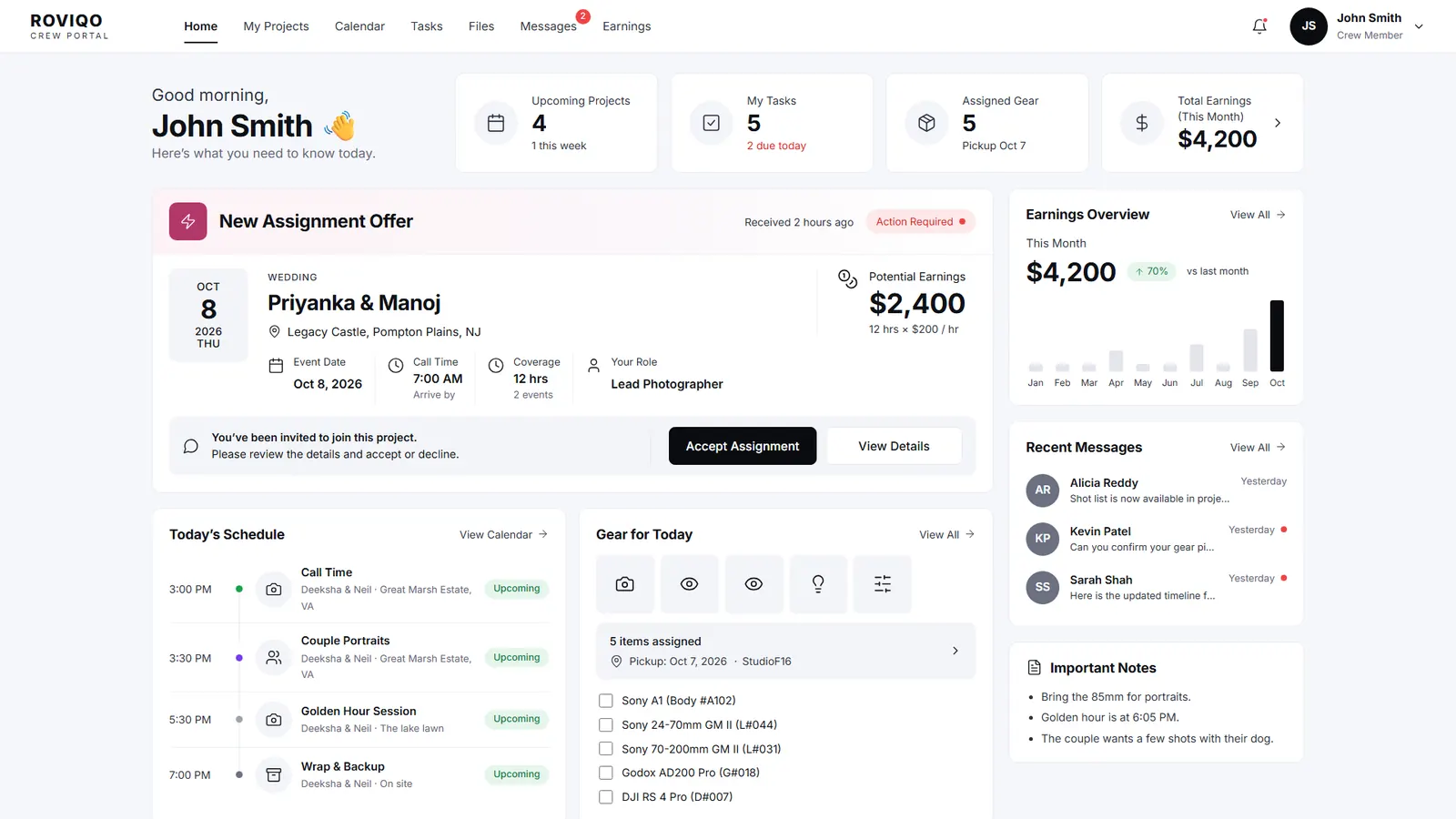
In Roviqo you assign second shooters, assistants and editors to each event, and they get the offer in their own crew portal. They accept in a tap and see the call time, the timeline, gear, deliverables and what they will earn. Editors get due dates instead of call times. Staff sign in with roles you control.
At a glance
Offers they accept
Send a job to staff or freelancers. The crew member accepts or declines from their portal, and the project shows who is confirmed.
Call times per event
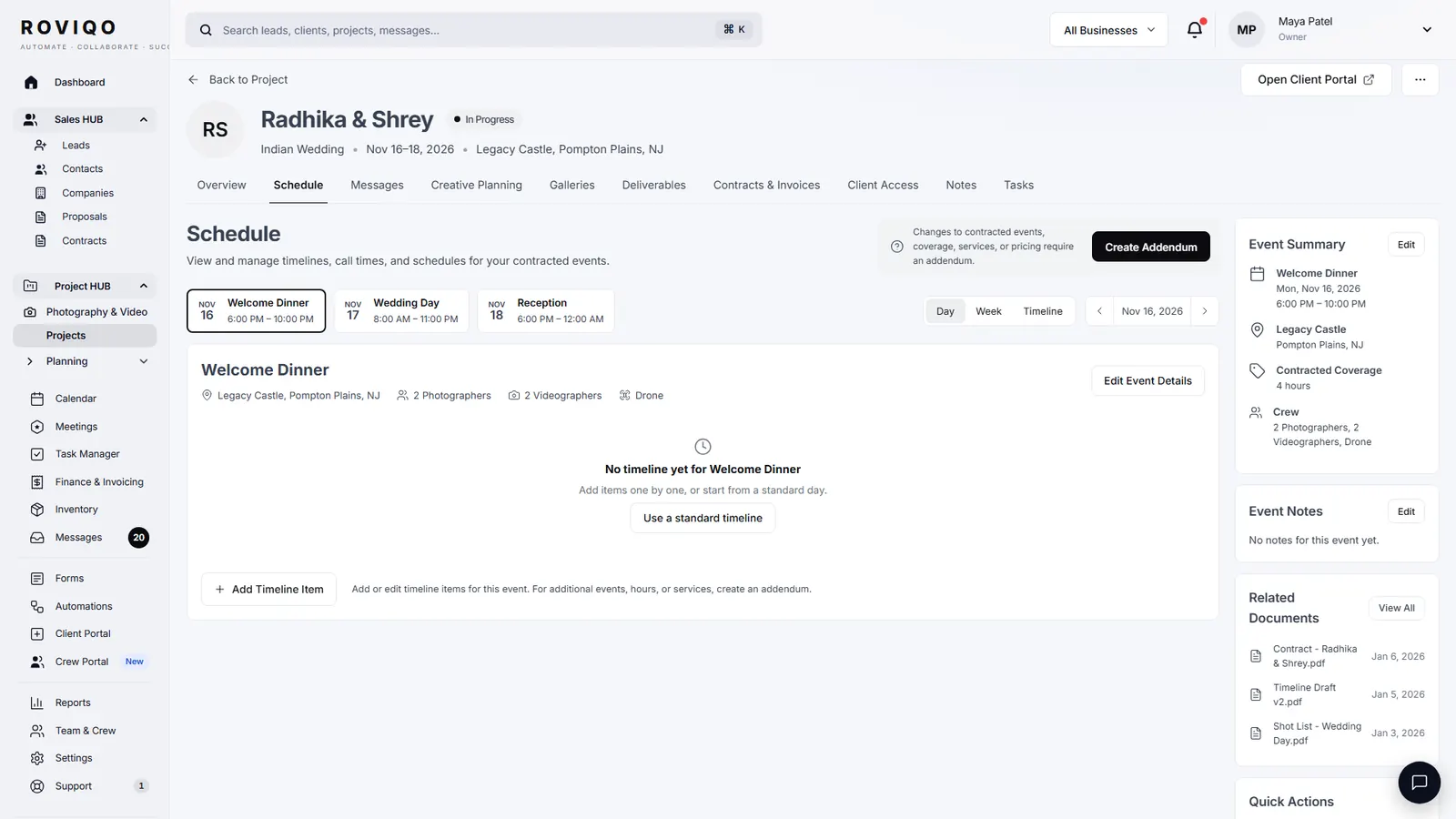
Each event of a multi-day wedding has its own timeline, call times and crew.
Gear and deliverables
Inventory shows which kit is out, with whom and when it is due back; deliverables and due dates sit with the job.
How do I schedule second shooters for a wedding?
Open the project’s Team & Coverage window, pick people from Team & Crew for each event, and send the offer. They see it in the crew portal with the date, venue, call time and pay, and accept in a tap.
- Weekly availability kept in each crew profile
- Tasks, messages and gear in the same portal
- Earnings overview for every crew member
Can I assign editors after the wedding?
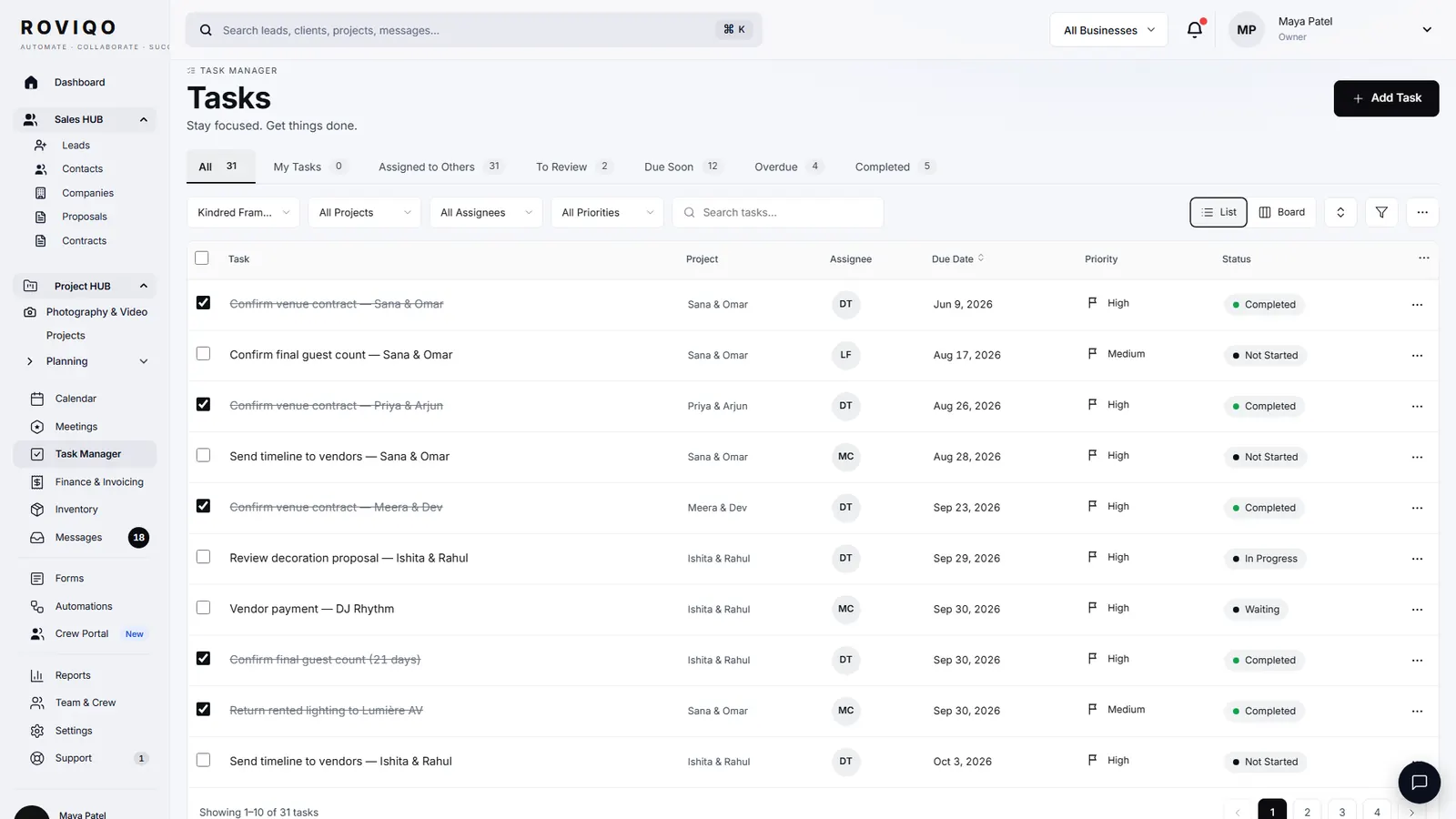
Yes. The project’s Post-production section takes a photo editor, video editor, album designer, retoucher, colourist or your own role, with an optional due date. Each assignment and removal is recorded in the project’s activity, and the work can go to the crew portal as a due date.
Can staff see only what they need?
Team & Crew holds staff, freelancers, roles, groups and files. A role decides which parts of Roviqo a person can open, so an assistant can run the calendar without seeing the finances.
Crew and team, answered.
No. Roviqo plans are priced by active clients and businesses, not by seats. Crew and staff sign in on your studio’s plan.
Yes. Staff and freelancers both get the crew portal through an invite link, and see only the jobs they are offered.
Yes. Every event, such as a mehndi, sangeet, ceremony and reception, has its own date, venue, call times and crew.
Yes. The crew portal can be added to the home screen as an app and sends push notifications where the phone allows.
Free for up to 5 active clients with every module and no card. Studio is $60 a month for unlimited active clients. Pro is $100 a month and runs up to three businesses, each with its own brand, under one login. Monthly, cancel anytime, no setup fee.
Related guides.
Booking links
Consultation booking pages with your own hours, buffers, notice and team routing.
Client portal & galleries
One private place for the couple: documents, payments, schedule, messages and photos.
Mobile app
The whole studio on your phone, installed from the browser, with push alerts.
Invoices & payment schedules
Retainer, instalments and balance through your own Stripe, with reminders and receipts.
Choosing a CRM
What to look for in a CRM for wedding photographers, honestly.
CRM for wedding videographers
Film packages, crew call times, gear and deliverables.
See it with your own studio's data.
Create your studio free, import your leads, and send your first Wedding Book this week.