A booking link for
consultation calls.
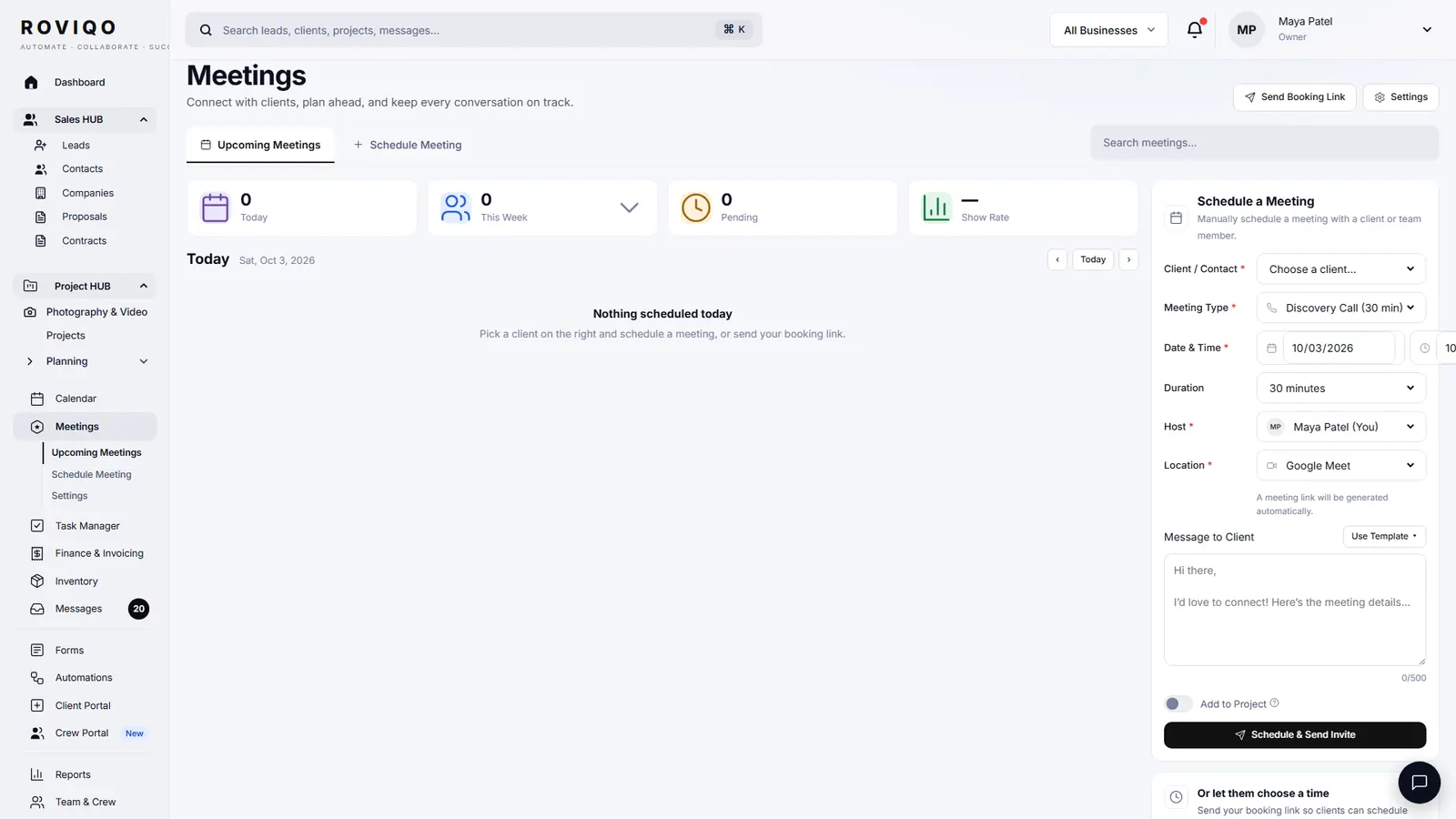
Roviqo gives every studio booking links: a page where a couple picks a time for a consultation call that fits your rules. You set the hours for each day, buffers, notice, how far ahead people can book and the daily limit. Confirmations and reminders go out by email, and the call lands on your Roviqo calendar.
At a glance
Your rules per link
Weekly hours, date overrides, buffers before and after, minimum notice, booking window, a daily maximum and the slot interval.
Team routing
Send bookings to one person, round-robin across the team, by priority, or to everyone together.
Short links to share
Each link has a short address on roviqo.com, a QR code and an embed code for your own website.
How do I let couples book a call with me?
Create a booking link in Meetings, give it a name and length, set your availability and rules, and share the link, the QR code or the embed. Your own video-call link, such as your Google Meet room, can be saved so it goes in the confirmation.
- Booking confirmation in your own wording
- Email reminders before the call
- Each meeting keeps its attendees, notes and tasks
Will it show on my calendar?
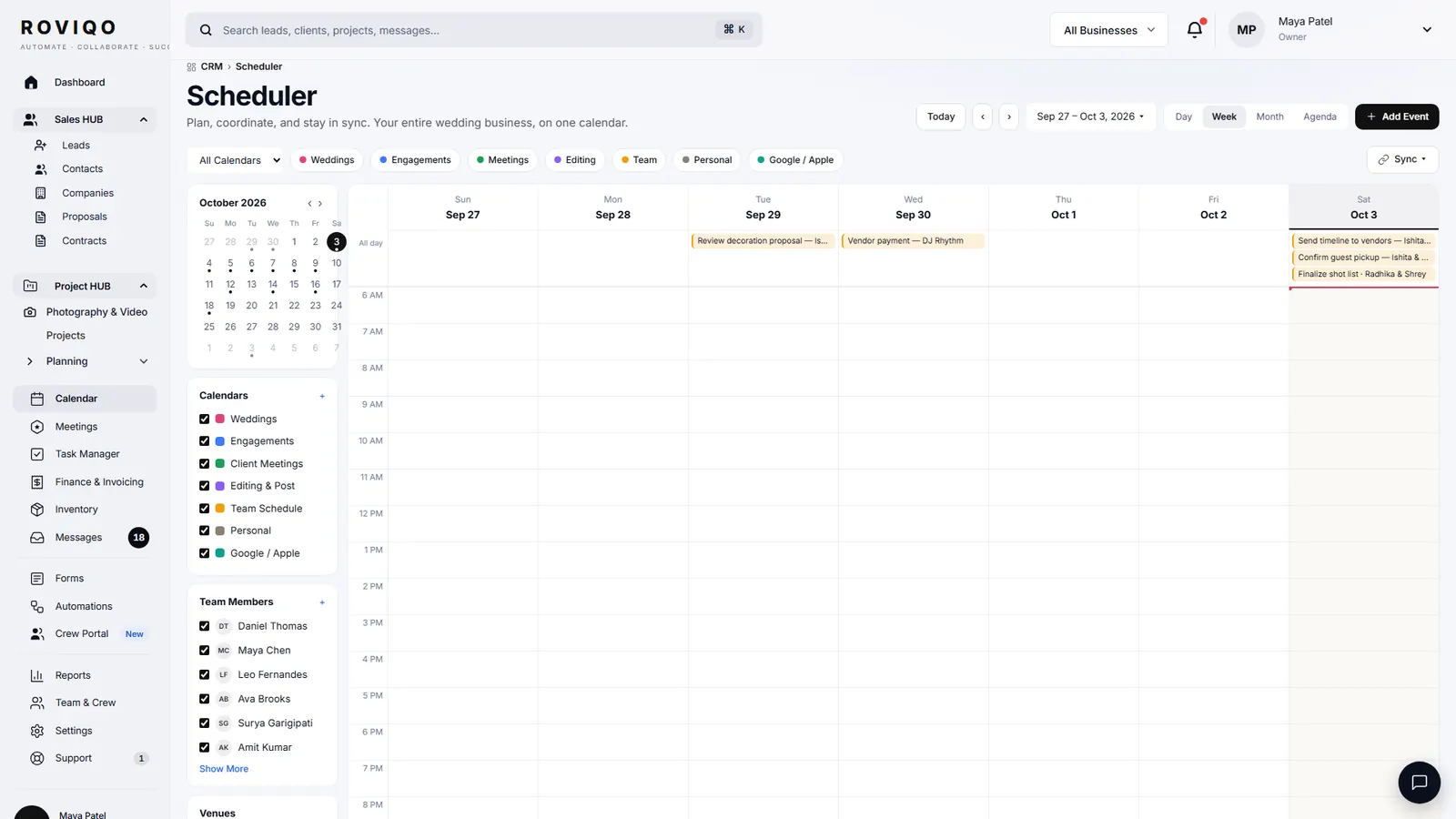
Booked calls appear on the Roviqo calendar beside weddings, editing days and team schedules. Roviqo publishes a calendar feed you can subscribe to from Google or Apple Calendar, and it can show events from your private Google, iCloud or Outlook calendar addresses.
Booking links, answered.
Yes. Booking links are part of every plan, Free included. Free covers up to five active clients.
Yes. Each booking link is its own meeting type with its own length, hours, rules, team and confirmation wording, for example a 20-minute intro call and a one-hour planning meeting.
Save your own meeting link, such as your Google Meet room, and it is used for your calls. Roviqo never makes up a room for you.
Yes. Route a link to one person, round-robin, by priority, or to the whole team together. The person booked is told about it.
Roviqo publishes a calendar feed Google and Apple Calendar can subscribe to, and it can read your private Google, iCloud or Outlook calendar addresses to show those events. Google refreshes subscribed feeds on its own schedule, which can take hours.
Related guides.
Lead capture forms
An enquiry form for your website or a hosted page, straight into the pipeline.
Crew portal & team scheduling
Second shooters and editors accept jobs, see call times, gear and due dates.
Mobile app
The whole studio on your phone, installed from the browser, with push alerts.
Proposals
Five designs, optional add-ons, the agreement and the deposit on one link.
Choosing a CRM
What to look for in a CRM for wedding photographers, honestly.
CRM for wedding photographers
The whole studio in one place, from enquiry to delivered gallery.
See it with your own studio's data.
Create your studio free, import your leads, and send your first Wedding Book this week.