Wedding photography proposals
couples sign and pay.
To send a wedding photography proposal in Roviqo, build it once and share one link. The couple reads your collections, ticks the optional add-ons they want, types their name to sign the agreement and pays the retainer through your own Stripe. Accepting it creates the contract, the invoice and the project for you.
At a glance
Five designs
The Wedding Book (the default), Timeless Classic, Modern Editorial, Editorial Gallery and Clean & Modern. Upload your own photographs to each one.
Add-ons the couple picks
Offer extras such as an engagement shoot, another hour or an album, and let the couple tick them; the total updates as they choose.
Signed and paid in one sitting
The agreement and the deposit sit inside the proposal, so the date is held the moment they sign.
What does the couple see when they open it?
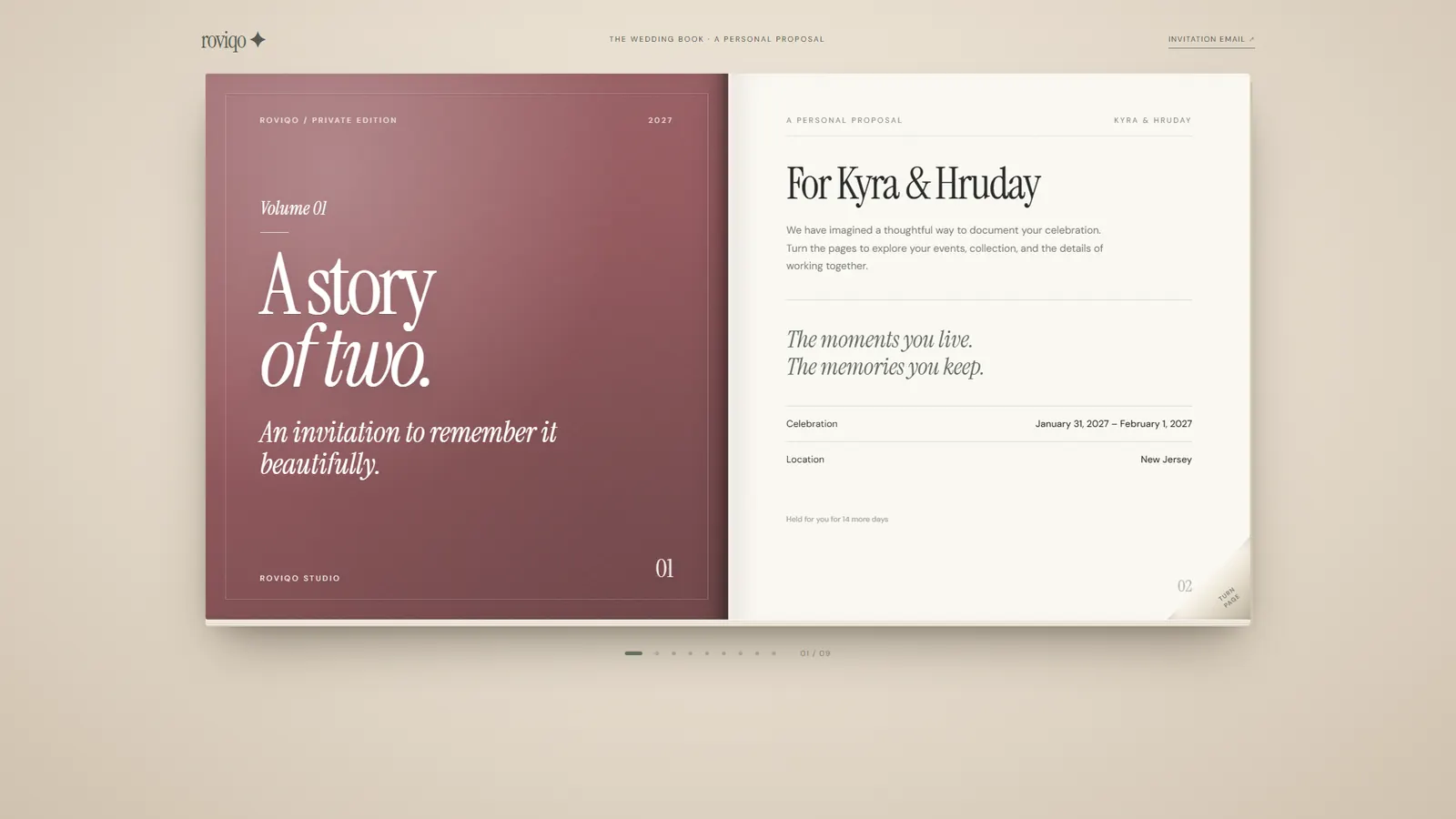
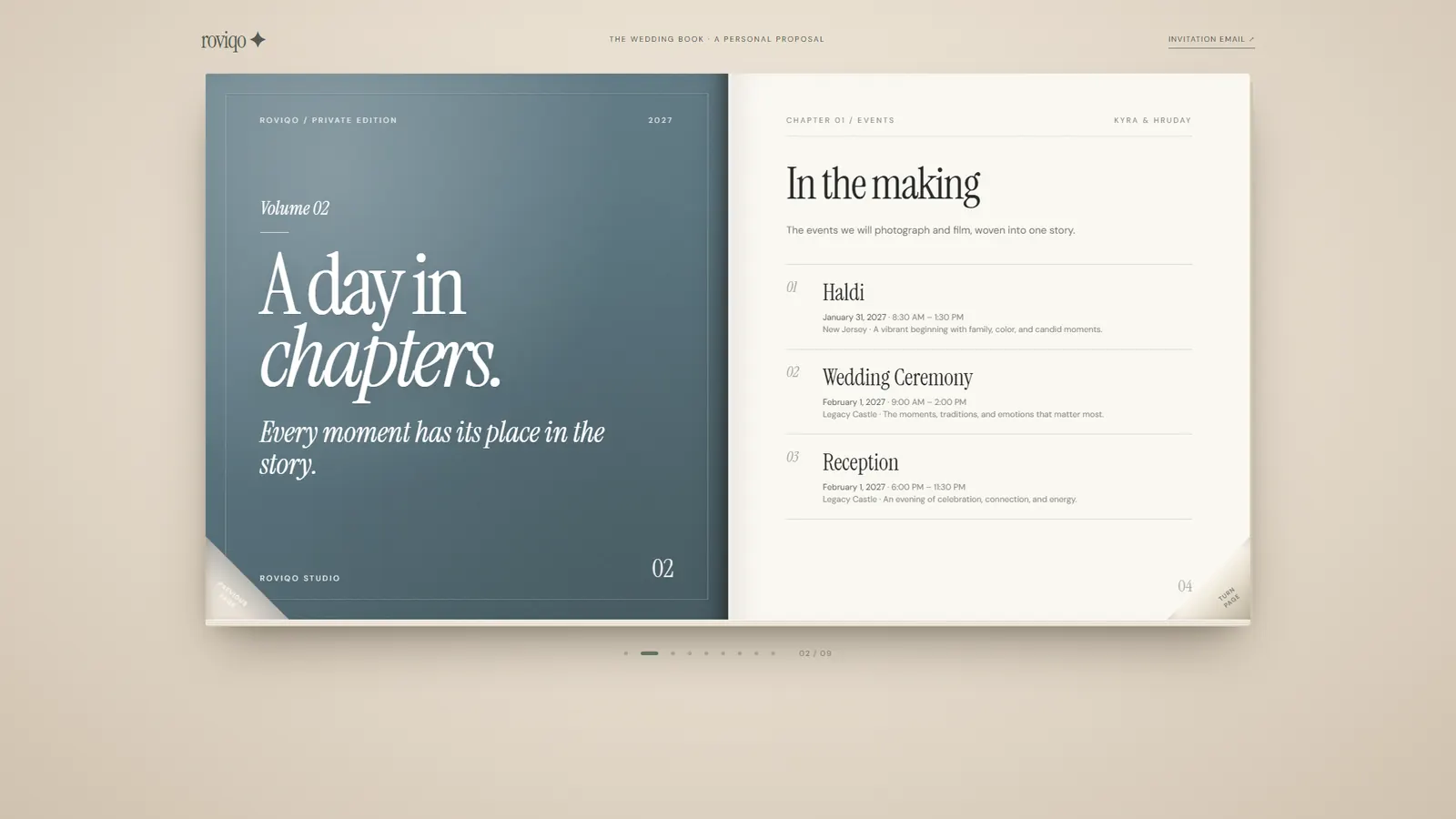
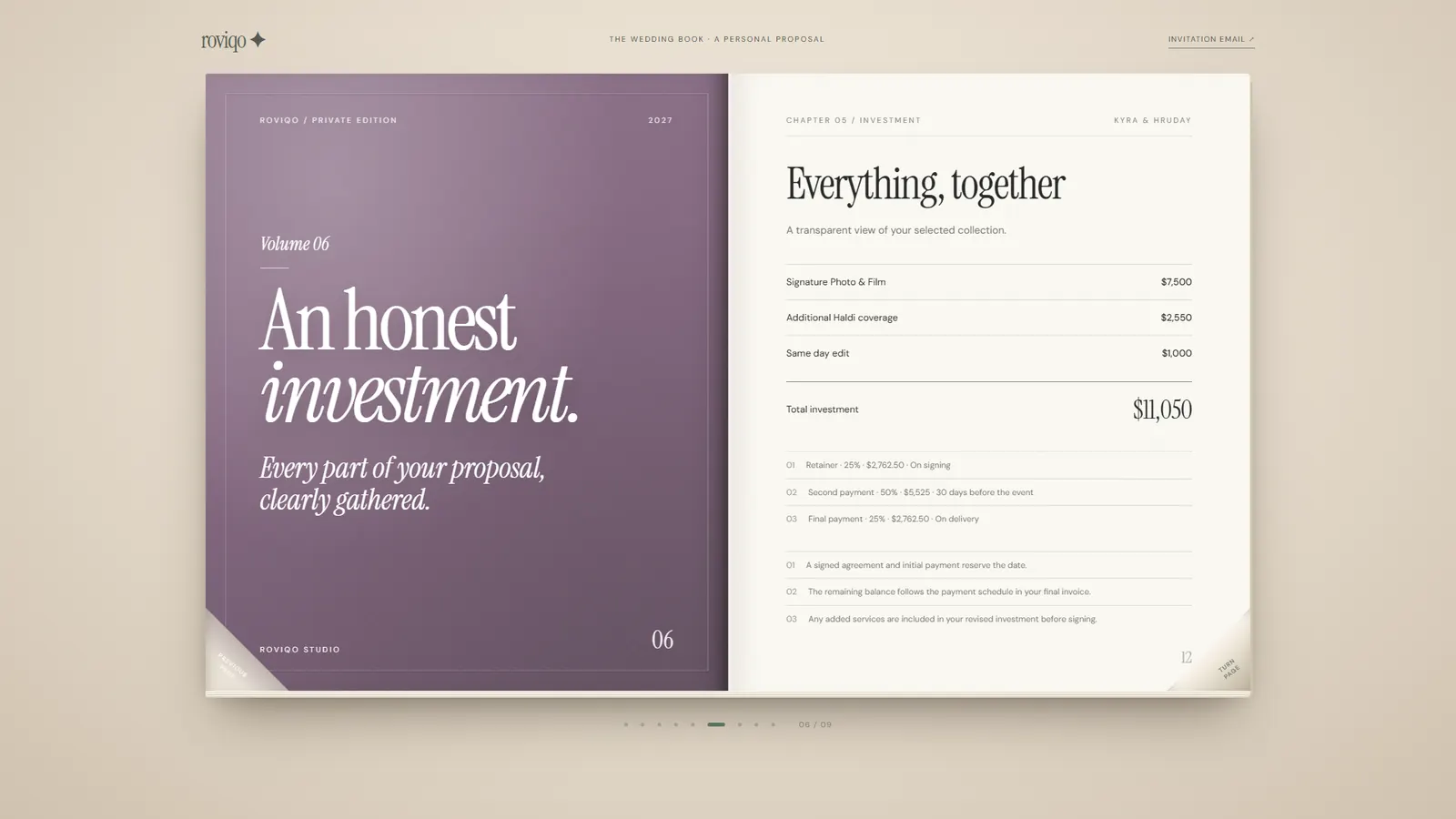
A proposal that reads like a book: welcome, the events, your collection, optional add-ons, deliverables, the investment, a few questions, the agreement with a signature, and the deposit, in that order, on a phone or a laptop.
- They can download the page as a PDF
- No account or app needed to read, sign or pay
- Your name, logo and colours on every page
How do I build a wedding photography proposal?
Open the proposal builder from the lead, pick a design, and fill in the events, your package, add-ons, deliverables, the payment schedule, terms and any questions. A live preview shows exactly what the couple will see before you send it.
- Start from a lead so the couple, dates and venues fill in for you
- Packages and add-ons from your own catalogue
- Preview on desktop and phone before sending
How do I know when a couple has opened it?
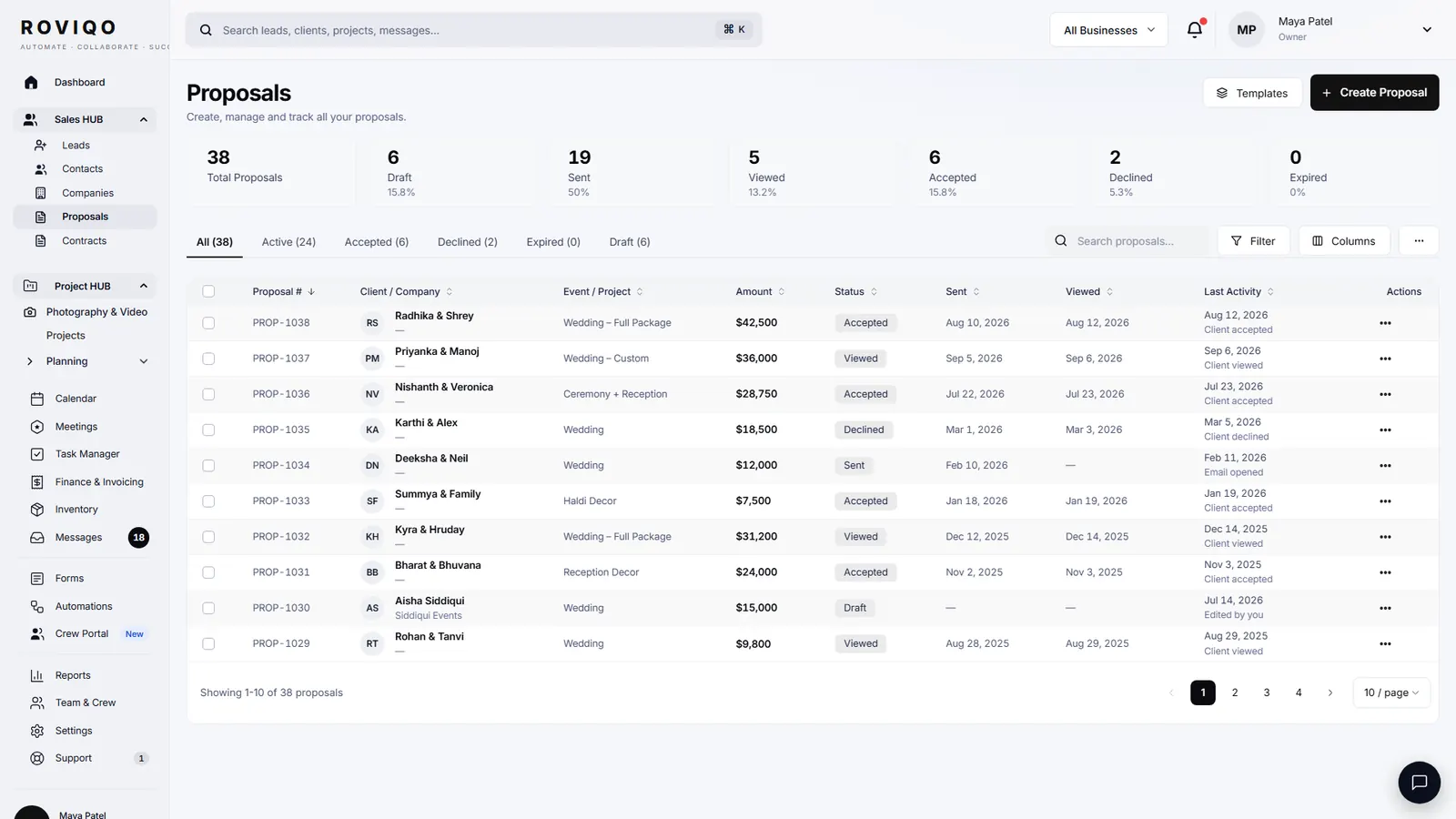
Every proposal shows its status, the date it was sent and viewed, and the last activity. Automations can send a reminder when a proposal sits unsigned and handle it when it expires, so you are not chasing by hand.
- Sent, viewed, accepted and signed on one list
- Proposal reminders and expiry handled by automations
- Accepted means the contract, invoice and project appear by themselves
Wedding photography proposals, answered.
Yes. Mark extras as optional and the couple ticks the ones they want on the proposal. The investment and the deposit update before they sign.
No. Proposals, contracts and payments work over secure links, so a couple can read, sign and pay from a phone without creating a login. The client portal is there for couples who want it.
Yes. The agreement sits in the proposal and the couple signs it there. You can also send a separate contract from the contract builder.
By card, Apple Pay or Google Pay through your own Stripe account, on the same link. Roviqo takes no fee on payments; Stripe’s standard fees apply. See invoices and payment schedules.
Free for up to 5 active clients with every module and no card. Studio is $60 a month for unlimited active clients. Pro is $100 a month and runs up to three businesses, each with its own brand, under one login. Monthly, cancel anytime, no setup fee.
Related guides.
Proposal & contract guide
Six steps to a proposal, agreement and deposit on one link.
Contracts & e-signatures
Templates, an eight-step contract builder, typed signatures and a countersignature.
Invoices & payment schedules
Retainer, instalments and balance through your own Stripe, with reminders and receipts.
Client portal & galleries
One private place for the couple: documents, payments, schedule, messages and photos.
Choosing a CRM
What to look for in a CRM for wedding photographers, honestly.
CRM for wedding photographers
The whole studio in one place, from enquiry to delivered gallery.
See it with your own studio's data.
Create your studio free, import your leads, and send your first Wedding Book this week.