Automations for a photography business.
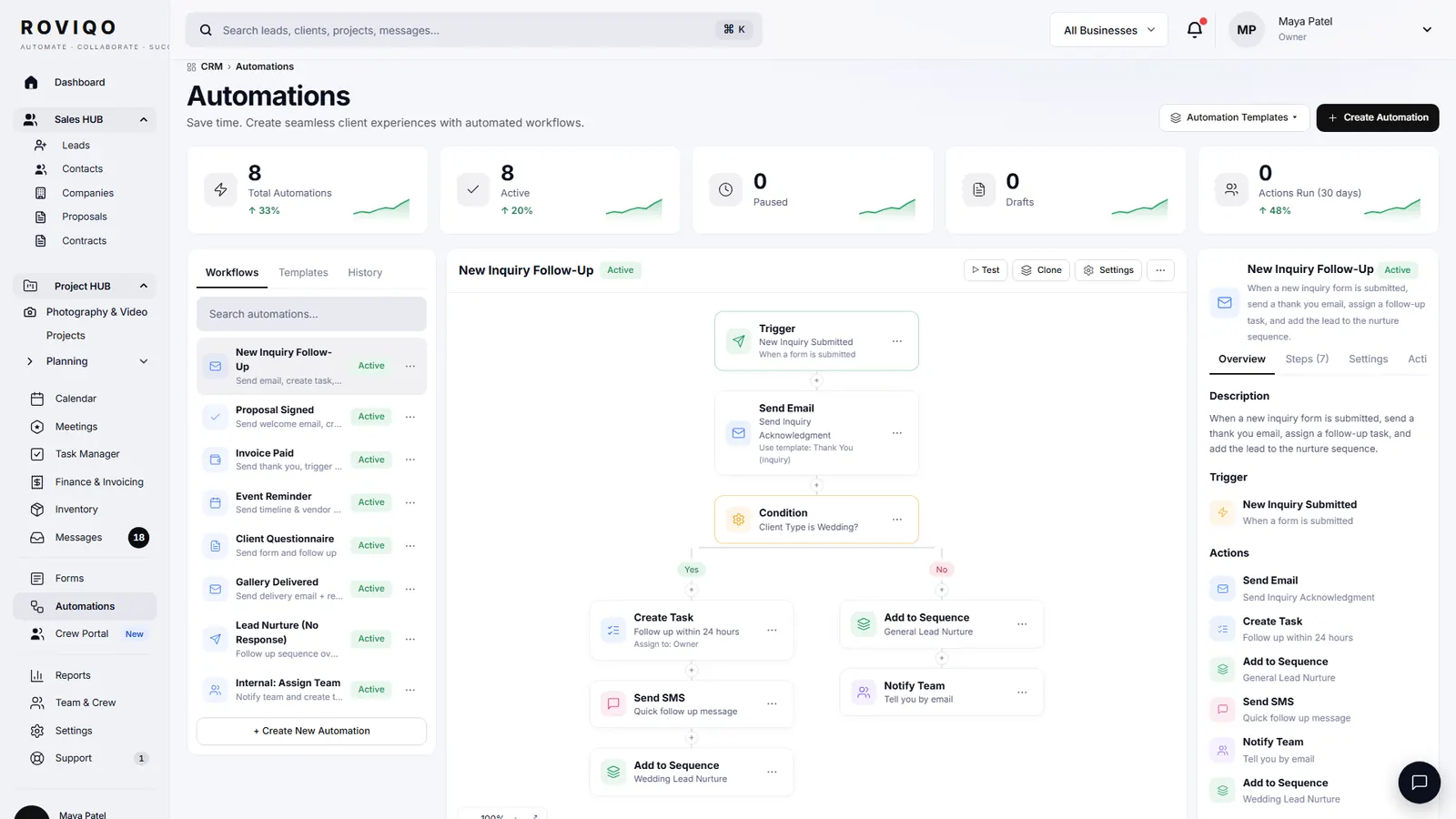
Roviqo does the busywork of a photography business: a thank-you to every enquiry with a follow-up task, a reminder every four days while a proposal waits, the agreement and reservation invoice when a couple accepts, a balance reminder two weeks before the wedding, a week-of note to the couple and a call sheet for the crew, receipts, and a weekly summary.
Which automations does Roviqo include?
Each one is built in and switched on for a new studio. Pause any of them, and change the wording of every email it sends.
A new enquiry
The couple gets a thank-you in your name, you get an alert with the details, and a follow-up task is created so nobody waits.
A call is booked
When a couple picks a time on your booking link, they get a confirmation with your meeting link and an add-to-calendar line; you are told the same second.
A proposal waits
From the fourth day a proposal sits unanswered, the couple gets one gentle reminder every four days for three weeks, then it stops.
A proposal is accepted
The agreement goes out from your default contract template, the project opens, and the team is told. Once it is signed, the reservation invoice follows with the deposit worked out.
A payment arrives
The couple gets a receipt that confirms their date is reserved; you get a note that the booking is live. A payment the couple reports another way is flagged for you to confirm.
Crew are offered a job
Each crew member gets the offer with 24 hours to answer. You hear when they accept, decline or let it expire, so you can offer the chair again.
A balance is due
Two weeks before the first event, a couple with a balance outstanding gets one friendly reminder with the amount and a link to pay. Once, never twice.
The wedding week
Seven days out, the couple gets every event with its date, time, venue and the team; each accepted crew member gets their call sheet with the couple’s contact.
Your week
A weekly summary to you: new enquiries, proposals sent and signed, payments received, invoices still open, and what is booked in the next seven days.
Can I change what the emails say?
Yes. Every automated email is a template you edit under Emails, with merge fields for the couple’s first name, the event, the date, the amount and the link. Emails go out from your own address with your name, logo and colours. The Automations page shows each flow as a trigger and its steps, with a count of how often it has run, and the outbox keeps every email Roviqo has ever sent for you.
- Pause or resume any built-in automation
- Edit subject and body; merge fields fill themselves in
- An outbox of every email, with its status
How does Roviqo chase payments?
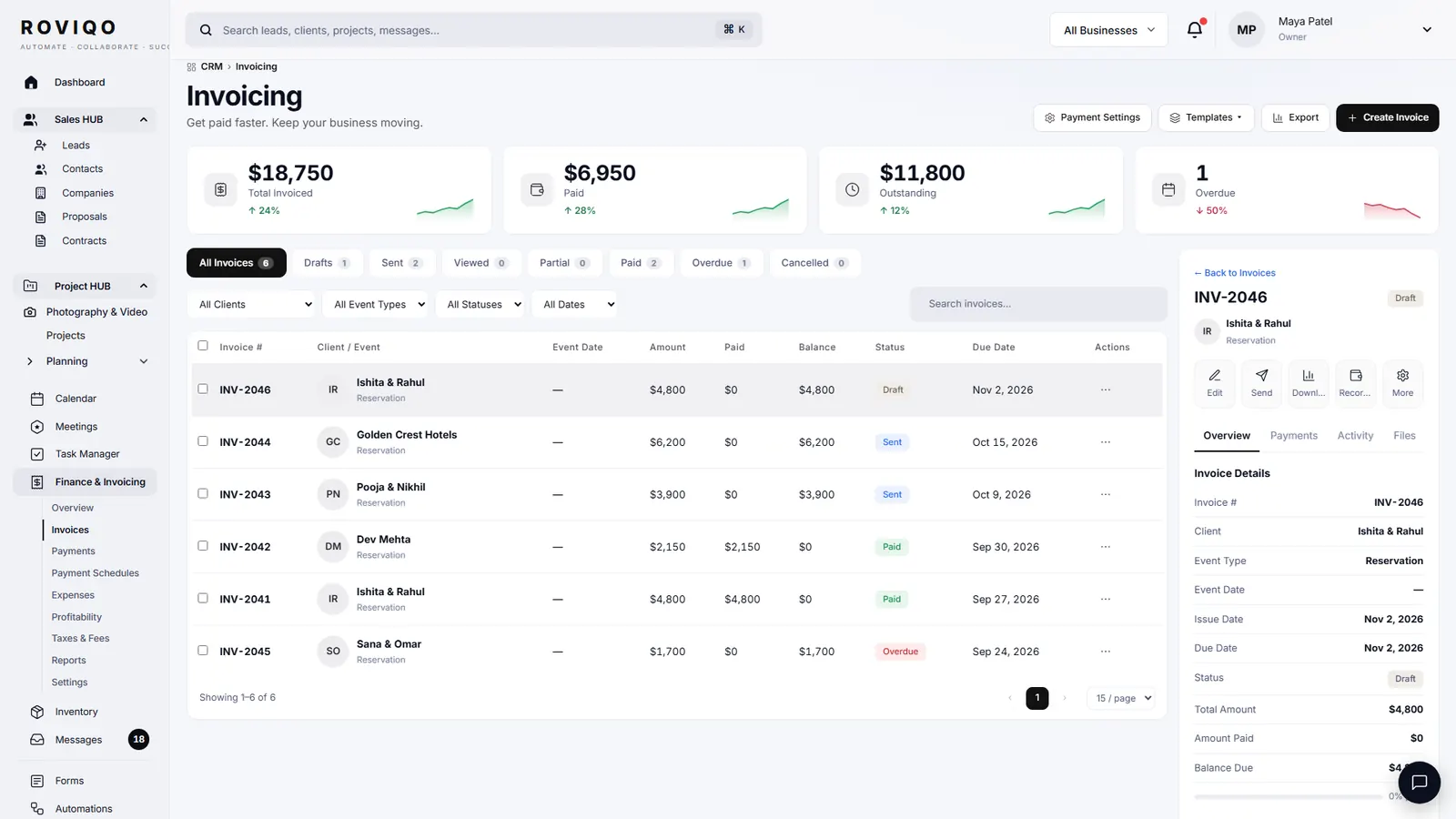
Each invoice can send payment reminders automatically a set number of days before each due date, and the couple gets a receipt after each payment. Separately, two weeks before the first event any couple with a balance outstanding gets one reminder with the amount and the link. Switch the reminder email off if you prefer to ask personally.
- Reminders per invoice, with the days before due that you choose
- Receipts after card, Apple Pay and Google Pay payments through your own Stripe
- Payments made another way can be recorded, and the couple can report one for you to confirm
Automations, answered.
Yes. The automations are part of every plan, Free included, and they carry your branding. Plans differ in active clients, businesses and gallery storage.
Yes. Each built-in automation can be paused from the Automations page, and each email template can be switched off under Emails. Paused ones you do by hand.
Not yet. Today the automations send email. SMS and WhatsApp through your business number are rolling out to founding studios; the inbox and composer are built for them.
Yes. The outbox lists every email Roviqo sent on your behalf with the recipient, subject and status, and each lead’s page shows its emails and history.
Proposal reminders go every four days for three weeks at most, then stop. The balance reminder before the wedding is sent once. Per-invoice reminders follow the days you set.
Free for up to 5 active clients with every module and no card. Studio is $60 a month for unlimited active clients. Pro is $100 a month and runs up to three businesses, each with its own brand, under one login. Monthly, cancel anytime, no setup fee.
Related guides.
Lead capture forms
An enquiry form for your website or a hosted page, straight into the pipeline.
Invoices & payment schedules
Retainer, instalments and balance through your own Stripe, with reminders and receipts.
Proposals
Five designs, optional add-ons, the agreement and the deposit on one link.
Crew portal & team scheduling
Second shooters and editors accept jobs, see call times, gear and due dates.
Email templates for photographers
Eight emails to copy, from the first reply to the review request.
The client workflow, step by step
Ten stages from enquiry to the review, and what to send at each.
See it with your own studio's data.
Create your studio free, import your leads, and send your first Wedding Book this week.