Invoices and payment schedules
for wedding photographers.
In Roviqo each booking gets a payment schedule, such as a retainer to hold the date, a second payment and the final balance. Invoices are created from the signed proposal, couples pay by card, Apple Pay or Google Pay through your own Stripe account, and reminders and receipts go out with your branding.
At a glance
Your own Stripe
Money goes straight to your Stripe account. Roviqo takes nothing from payments; Stripe’s standard fees apply.
Schedules per booking
Retainer, second payment, final balance, or as many instalments as the wedding needs, each with its own due date.
The numbers behind it
Payments, expenses, taxes and fees, profitability and reports such as revenue, top clients and the invoice funnel.
How do I set up a wedding photography payment schedule?
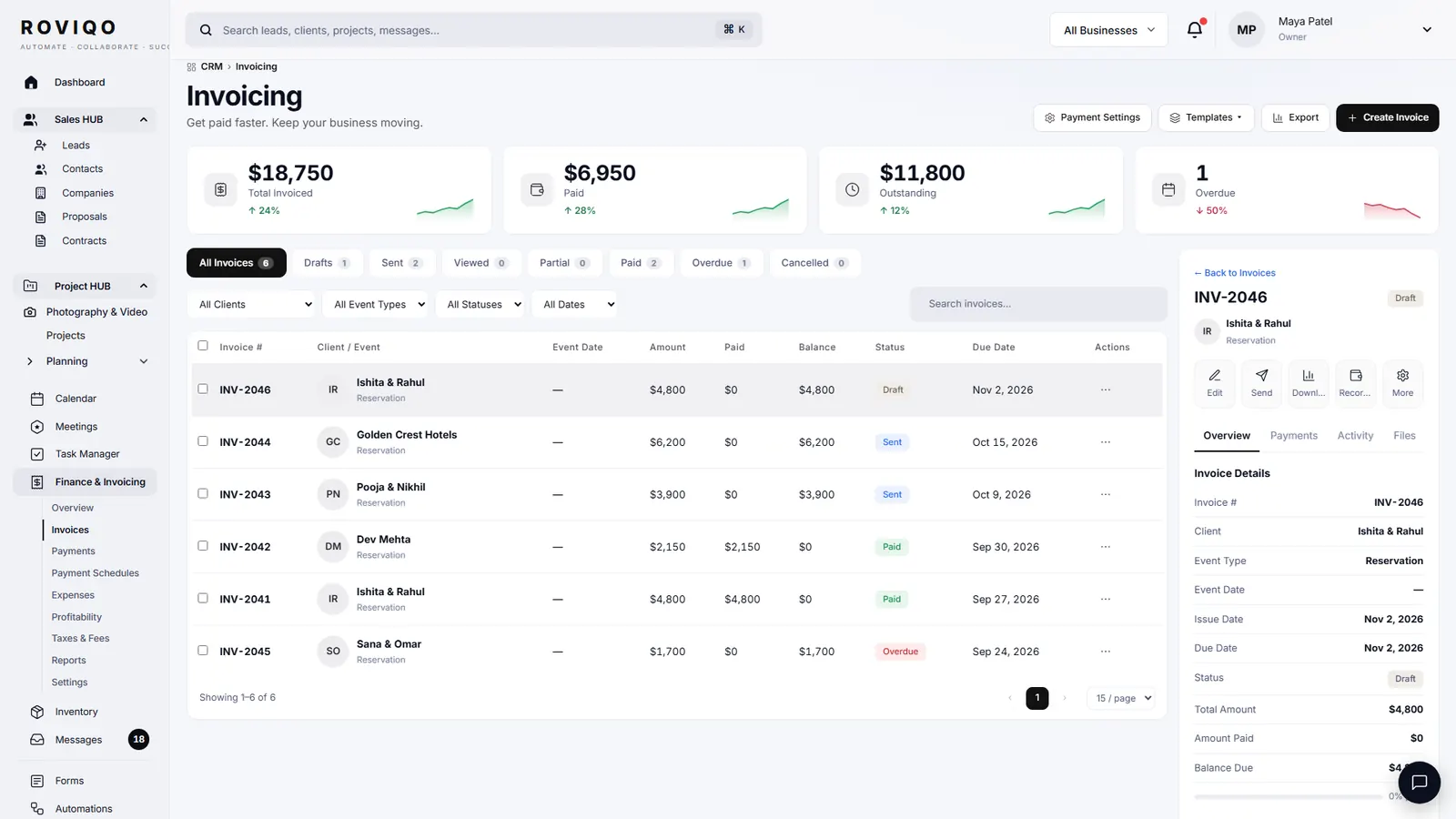
Set the retainer and later instalments in the proposal or the contract. When the couple accepts, Roviqo creates the invoice from that schedule, and each payment shows as upcoming, paid or overdue.
- Reminders before each due date, receipts after each payment
- Record payments made another way, such as a bank transfer or a cheque
- Add your own payment instructions to the invoice
Where do I see what is paid and what is due?
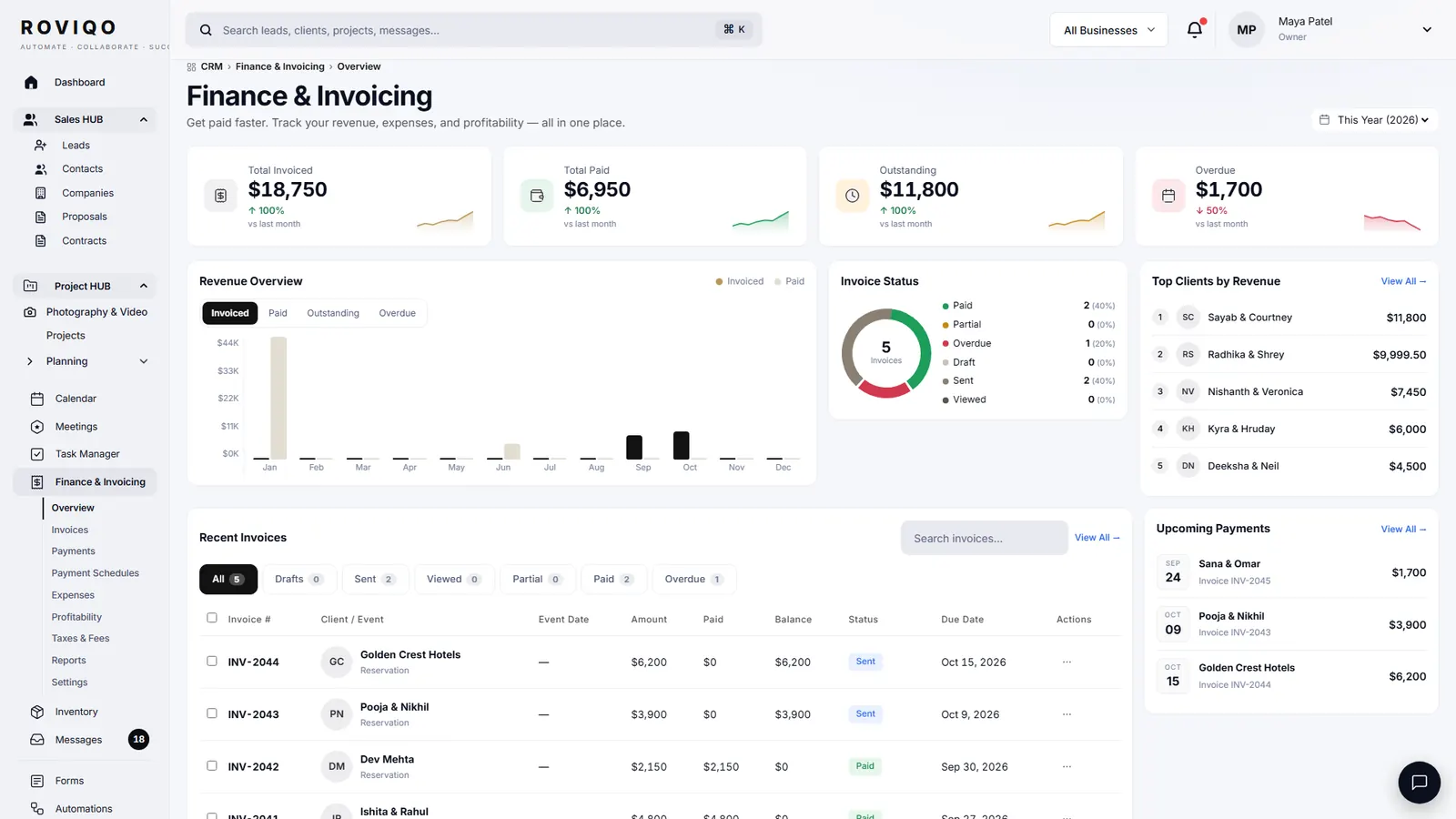
Finance shows revenue, outstanding amounts and invoice status across every business. Expenses, sales tax, fees and profit sit beside them, and the reports cover revenue, profit, top clients, event types and the invoice funnel.
- Recurring income items and scheduled invoice sends
- Sales tax and fee settings
- A report builder with saved reports
Invoices and payments, answered.
No. You connect your own Stripe account and pay Stripe’s standard card fees; the money goes straight to you.
Card, Apple Pay and Google Pay through Stripe. You can also record payments that arrive another way, such as a bank transfer or a cheque, and show your own instructions for them.
Yes. Create an invoice from Finance for any client, set its payment schedule, and send it on its own link.
Reminders before due dates and receipts after payment are part of Roviqo’s automations and carry your branding. You can switch the reminder email off if you prefer to chase personally.
Free for up to 5 active clients with every module and no card. Studio is $60 a month for unlimited active clients. Pro is $100 a month and runs up to three businesses, each with its own brand, under one login. Monthly, cancel anytime, no setup fee.
Related guides.
Proposals
Five designs, optional add-ons, the agreement and the deposit on one link.
Contracts & e-signatures
Templates, an eight-step contract builder, typed signatures and a countersignature.
Client portal & galleries
One private place for the couple: documents, payments, schedule, messages and photos.
Proposal & contract guide
Six steps to a proposal, agreement and deposit on one link.
Choosing a CRM
What to look for in a CRM for wedding photographers, honestly.
CRM for wedding photographers
The whole studio in one place, from enquiry to delivered gallery.
See it with your own studio's data.
Create your studio free, import your leads, and send your first Wedding Book this week.