Lead management for photographers.
Lead management for a wedding photographer means every enquiry has a stage, a next action and a due date, so nobody waits for a reply. In Roviqo each lead shows what to do next, Needs Attention lists what is overdue or due today, and the pipeline shows your open value, bookings and conversion rate.
At a glance
A next action on every lead
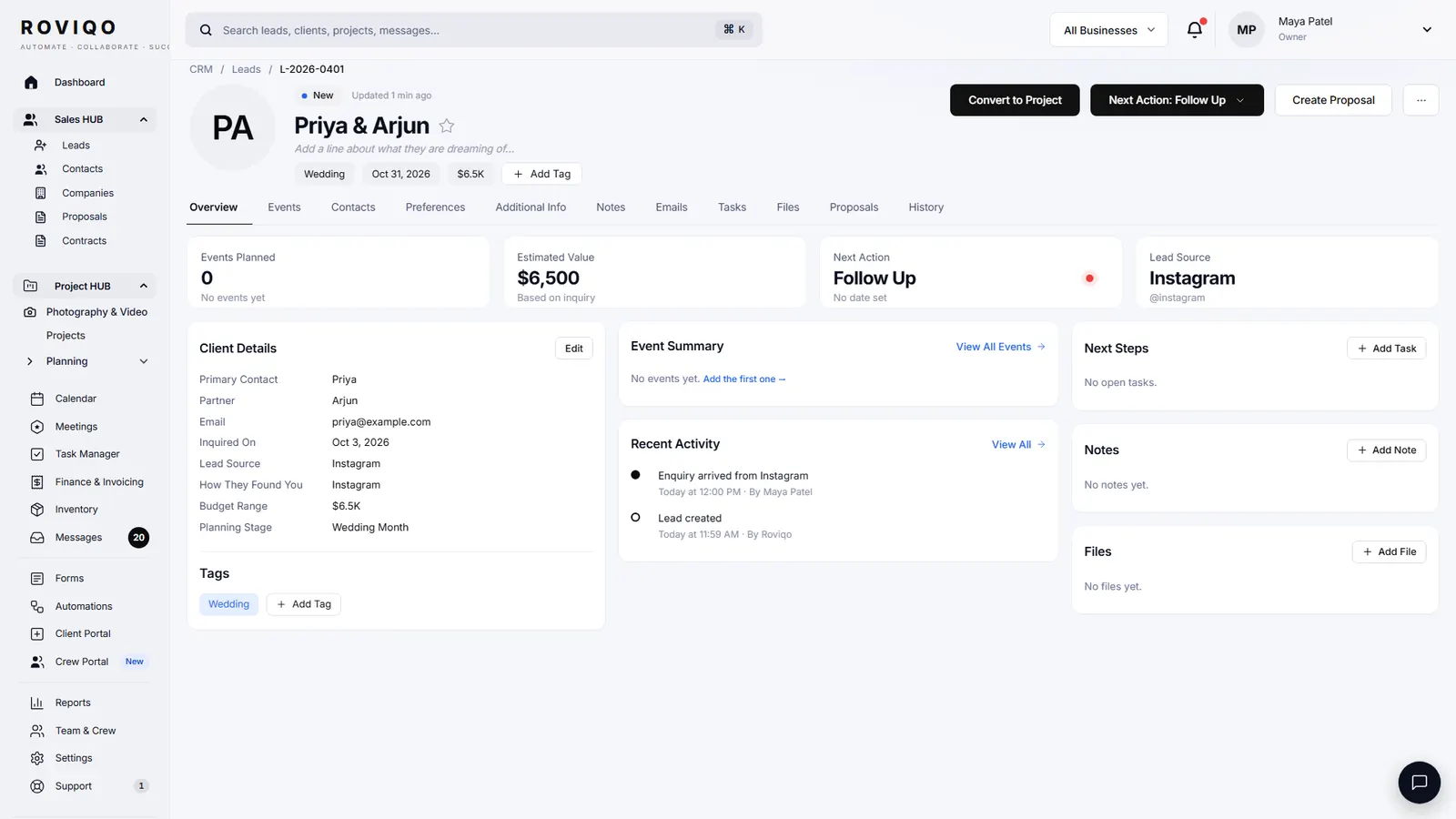
Each lead carries its next step and when it is due. Set one yourself, or let Roviqo work it out from where the lead stands: reply, schedule the call, send the proposal, follow up.
Needs Attention first
The Leads page opens on Needs Attention: active leads whose next step is overdue, due today or due tomorrow, each with the reason it is there.
Pipeline figures
Open Pipeline shows the potential value of every active lead. Total Booked and Conversion Rate (booked ÷ closed leads) follow the date range you choose.
How does Roviqo decide what to do next?
An open task on the lead comes first, then a next step you set by hand. Without either, Roviqo reads the lead: a new enquiry gets “Reply to inquiry”, due a day after it arrived; a sent proposal gets “Follow up on proposal”, due four days after sending; an engaged couple with no meeting gets “Schedule meeting”. A banner counts the active leads with no next step at all, so none is forgotten.
- Add next step: Send Email, Schedule Meeting, Follow Up, Send Proposal or Create Task, with a date
- The Due column reads Overdue, Today, Tomorrow or a date
- Filter to Assigned to Me, or to any team member
What do the stages and intent mean?
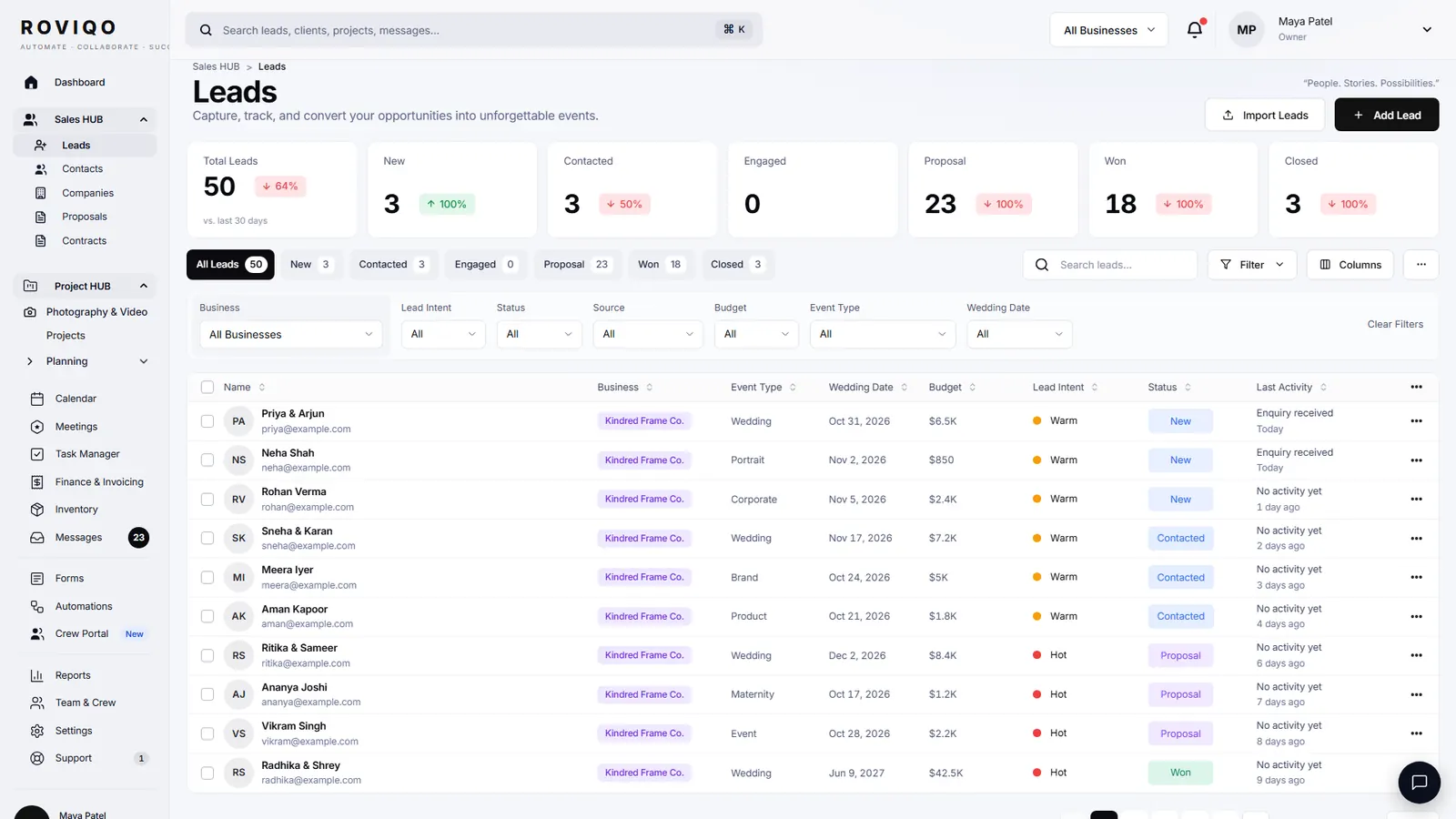
Stages follow the booking: New, Active, Engaged, Proposal, Booked and Lost, and you can rename them in Settings to your own words. Intent is Hot, Warm or Cold. Set it yourself, or let Roviqo infer it: a lead with a proposal out reads as hot, a lost one as cold, and one with no activity for 30 days as cold.
- Filter by business, intent, status, source, budget, event type and wedding date
- Add columns for Date Received, Wedding Date, Budget, Last Activity or Company
- Bulk change status, set intent, assign, export or archive
Where do leads come from, and which source books?
Enquiries arrive from the form on your website or a hosted enquiry page, and by hand through the five-step Add Lead wizard, which asks how the couple found you. A call booked through a booking link is matched to its lead by email, or starts a new one. Older leads import from a CSV file. Reports list every source with its leads, proposals, bookings and conversion rate; enquiries from your website form count under Website.
- A thank-you email goes to every website enquiry the moment it arrives
- Enquiries from the same email within 14 days merge into one lead, and possible duplicates are flagged
- Export leads to CSV whenever you like
Lead management, answered.
Keeping every enquiry in one list with its stage, its next step and the date that step is due, so replies, calls and proposals go out on time and you can see what is likely to book. A CRM does it for you; a spreadsheet does it only if you update it every day.
As soon as you reasonably can. Roviqo sends a thank-you email the moment a website enquiry arrives and sets “Reply to inquiry” as the lead’s next action, due one day later, so the personal reply is not forgotten.
Yes. The lead shows “Follow up on proposal” four days after it was sent, and while the proposal is unanswered the couple gets a reminder email about every four days for up to three weeks, which you can switch off. You also see when the couple opened it.
Yes. Upload a CSV file or paste rows with name, email, phone, event type, event date, venue, budget, source and status, in any order. The import does not merge duplicates, so tidy the file first. Founding studios also get migration help.
Yes. Each lead has an assignee, the list filters to Assigned to Me or any team member, and a bulk action assigns many at once. Staff sign in on your plan; Roviqo does not charge per seat.
Free for up to 5 active clients with every module and no card. Studio is $60 a month for unlimited active clients. Pro is $100 a month and runs up to three businesses, each with its own brand, under one login. Monthly, cancel anytime, no setup fee.
Related guides.
Lead capture forms
An enquiry form for your website or a hosted page, straight into the pipeline.
Following up with inquiries
Six follow-ups with sample lines, from the first reply to a kind last message.
Running a consultation
Before the call, the questions to ask, the price and the next step.
How to get more wedding leads
Referrals, search, directories, social and a faster reply.
Automations
Enquiry replies, proposal and balance reminders, wedding-week emails, a weekly summary.
Booking links
Consultation booking pages with your own hours, buffers, notice and team routing.
See it with your own studio's data.
Create your studio free, import your leads, and send your first Wedding Book this week.