The wedding photography contract addendum.
A wedding photography contract addendum is a short signed document that changes an existing contract without rewriting it: an added event, more hours, a second shooter, drone coverage, an album, a new date or a new price. It names the original agreement, lists exactly what changes and what it costs, says the rest stands, and both sides sign it.
What goes in a contract addendum?
Sample wording to adapt. This is general information, not legal advice; ask a lawyer where you work to review your own agreement and addendum.
Which contract it changes
The couple, the studio, the wedding date and the date the original agreement was signed.
Sample: “This addendum amends the Wedding Photography Agreement between [Studio] and [Couple] signed on [date].”
What changes
Each change in plain words: the event added, the hours, the service or the deliverable, with dates and venues.
Sample: “Add: Sangeet, Friday 12 June, 6:00–11:00 PM, The Grand Hall, two photographers.”
The price and when it is paid
The amount for each change, any tax, the new total, and whether it is due at signing or added to a later payment.
Sample: “Addendum total $[amount], due with the second payment on [date].”
What stays the same
A line that everything else in the original agreement still applies.
Sample: “All other terms of the Agreement remain in full force and effect.”
Signatures and dates
Both sides sign and date it, the same way as the original agreement.
When do I need an addendum?
How do addendums work in Roviqo?
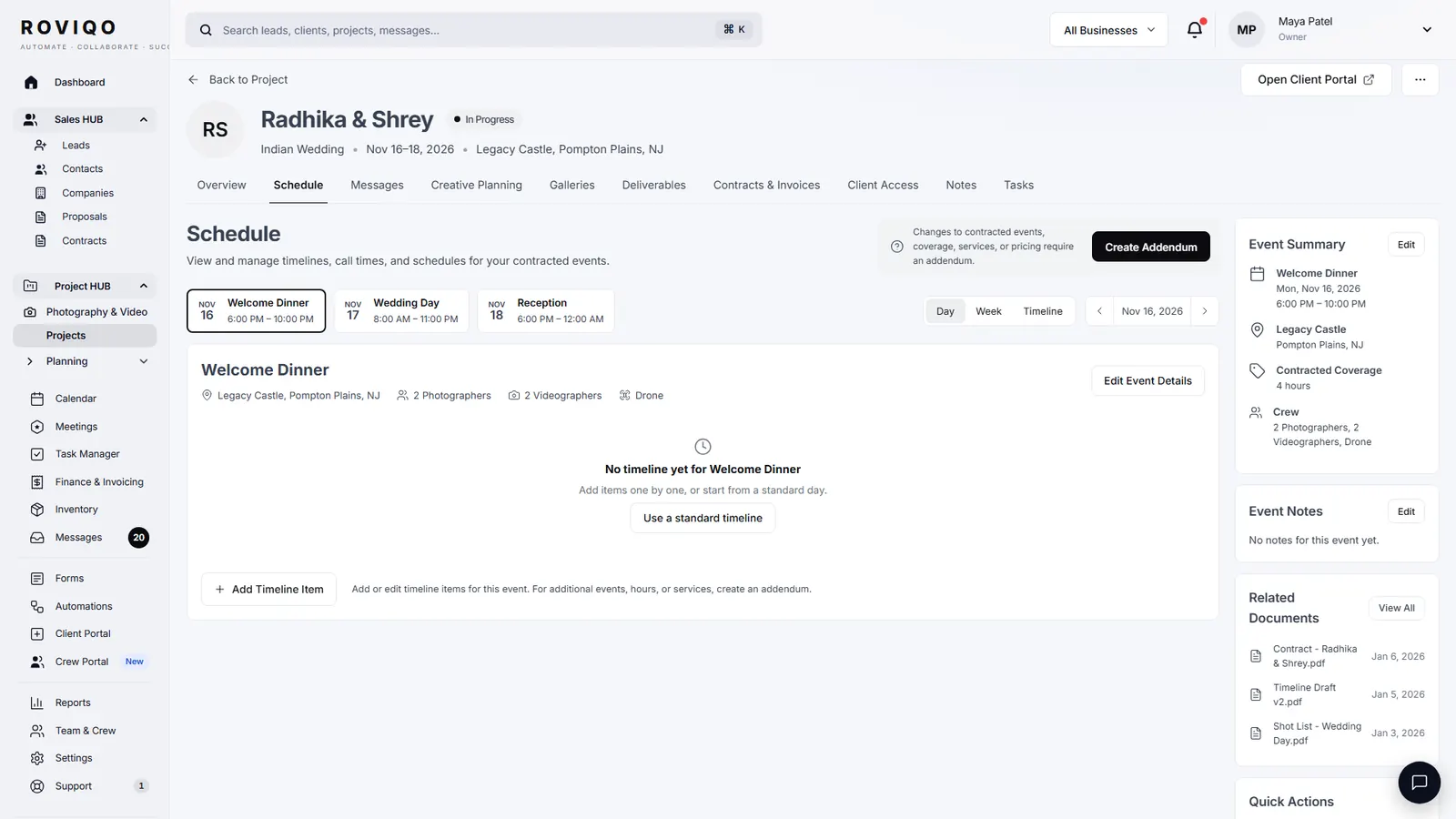
Open the project and choose Create addendum. Pick the changes (Add New Event, Add Coverage Hours, Add Services such as drone coverage, a same-day edit or a live stream, Add Team Members, Add Deliverables, or Other Changes), set the prices, and review the current contract, the addendum total with tax and the new project value. Send it, and the couple signs by typing their full name. Once signed, the new event and the priced deliverables join the project and its value goes up.
- Four steps: Select Changes, Configure & Price, Review, Send to Client
- Signed by typing a full name, like the original agreement
- Update the invoice, payment schedule and crew yourself once it is signed
Contract addendums, answered.
A document added to a signed contract that changes or adds to its terms. It refers to the original agreement, lists the changes and the price, confirms the rest still applies, and is signed by both sides.
Generally, a signed addendum that both sides agree to becomes part of the contract, but the rules differ by place and by what the original agreement says about changes. This is not legal advice; ask a lawyer where you work.
Not for most changes. An addendum keeps the original terms and changes only what it lists. A full rewrite makes sense when most of the agreement changes.
Yes, if the addendum says so: due at signing, added to the next payment, or added to the final balance. Say which in plain words.
In Roviqo, yes: they get a link and sign by typing their full name, the same way as the original agreement. In the United States the ESIGN Act and UETA generally give electronic signatures legal effect; rules differ elsewhere.
Free for up to 5 active clients with every module and no card. Studio is $60 a month for unlimited active clients. Pro is $100 a month and runs up to three businesses, each with its own brand, under one login. Monthly, cancel anytime, no setup fee.
Related guides.
Contract template: what to include
Twelve clauses with sample wording, and the mistakes to avoid.
Videography contract template
The film clauses: music, raw footage, drone, audio, delivery and revisions.
Contracts & e-signatures
Templates, an eight-step contract builder, typed signatures and a countersignature.
Deposit and retainer policy
Retainer or deposit, how much, refunds, date changes and cancellations.
Wedding photography add-ons
Ten add-on ideas, how to price each one and how to present them.
Project management
One project per booking: events, timelines, deliverables, crew, money and tasks.
See it with your own studio's data.
Create your studio free, import your leads, and send your first Wedding Book this week.