A calendar for wedding photographers.
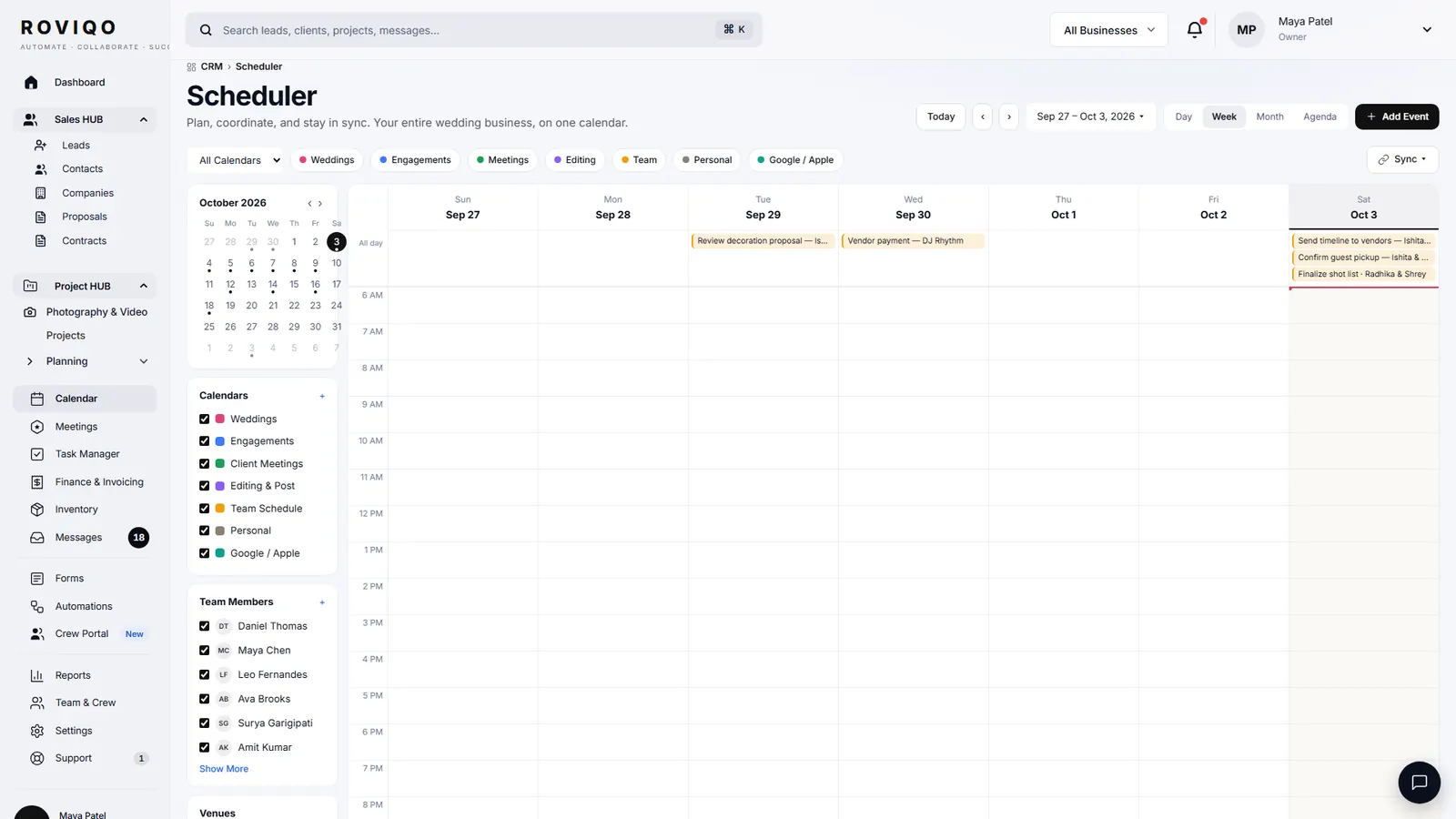
A wedding photographer’s calendar should show every booked event, consultation call, task deadline and personal plan in one view. Roviqo’s calendar draws weddings from your projects, with the crew who accepted, beside meetings and tasks. Subscribe to it from Google or Apple Calendar, and show your private calendars inside Roviqo.
At a glance
Four views
Day, Week, Month and List, with the next seven days alongside. A wedding across several days shows as one bar over those days.
Only what you need
Show or hide Personal, Photography & Video, Planning, Meetings, Tasks and Holidays, and filter by business, project, event type or team member.
On your phone’s calendar
A private feed Google and Apple Calendar subscribe to, and up to six read-only calendar links from Google, iCloud or Outlook shown inside Roviqo.
What does the calendar show?
Each client event with its time, venue and the crew who accepted; consultation calls and meetings; tasks on their due dates; the events you add yourself; and, in green, events from the calendars you connect by link. Quick actions schedule a meeting, add a task or add an external event without leaving the page.
- Calendars: Personal, Photography & Video, Planning, Design & Decor, Meetings, Tasks, Holidays
- Filters: All Businesses, All Projects, All Event Types, All Team Members
- Upcoming (Next 7 Days) beside the grid
How do I see Roviqo bookings in Google or Apple Calendar?
Choose Add to Google Calendar, Add to Apple Calendar or Copy the link. The feed carries your clients’ events with their hours, venue and crew, and booked consultation calls; tasks and personal events stay in Roviqo. Subscribed calendars refresh on their own schedule, which can take hours, so check Roviqo itself for a same-day change. Make a new link at any time to retire the old one.
Can I see my personal calendar inside Roviqo?
Yes. Paste the private iCal address of a Google, iCloud or Outlook calendar, up to six of them. Their events appear read-only beside your weddings, so you see the family dinner before you offer the date. Roviqo does not write back to them. A Google Calendar connection is also offered under Settings → Integrations.
The calendar, answered.
Two ways, each one-way. Roviqo publishes a feed Google Calendar subscribes to, which refreshes on Google’s schedule, and it shows your Google calendar inside Roviqo through its private iCal address, read-only. A Google Calendar connection is also offered under Settings → Integrations.
Each client event shows the crew who accepted their offer, and the team member filter shows one person’s events. Crew see their own schedule in the crew portal.
Yes. Tasks with a due date appear on the Tasks calendar, which you can hide when you only want events.
Yes. A wedding across several days is drawn as one bar across them, and each event inside it keeps its own time and venue.
Through a booking link: a page with your weekly hours, buffers, notice, booking window and daily limit. Booked calls appear on your calendar.
Free for up to 5 active clients with every module and no card. Studio is $60 a month for unlimited active clients. Pro is $100 a month and runs up to three businesses, each with its own brand, under one login. Monthly, cancel anytime, no setup fee.
Related guides.
Booking links
Consultation booking pages with your own hours, buffers, notice and team routing.
Project management
One project per booking: events, timelines, deliverables, crew, money and tasks.
Crew portal & team scheduling
Second shooters and editors accept jobs, see call times, gear and due dates.
Wedding day timeline template
A sample one-day schedule, a multi-event version, and one per event in Roviqo.
Mobile app
The whole studio on your phone, installed from the browser, with push alerts.
Multi-photographer studios
Assigned leads, routed calls, roles and crew per event, with no per-seat fee.
See it with your own studio's data.
Create your studio free, import your leads, and send your first Wedding Book this week.